 Lifepage AI Daily Journal
You can delete your Lifepage account and all your data at any time, in the app, free of charge. You don't need to contact us.
Delete your account in the app
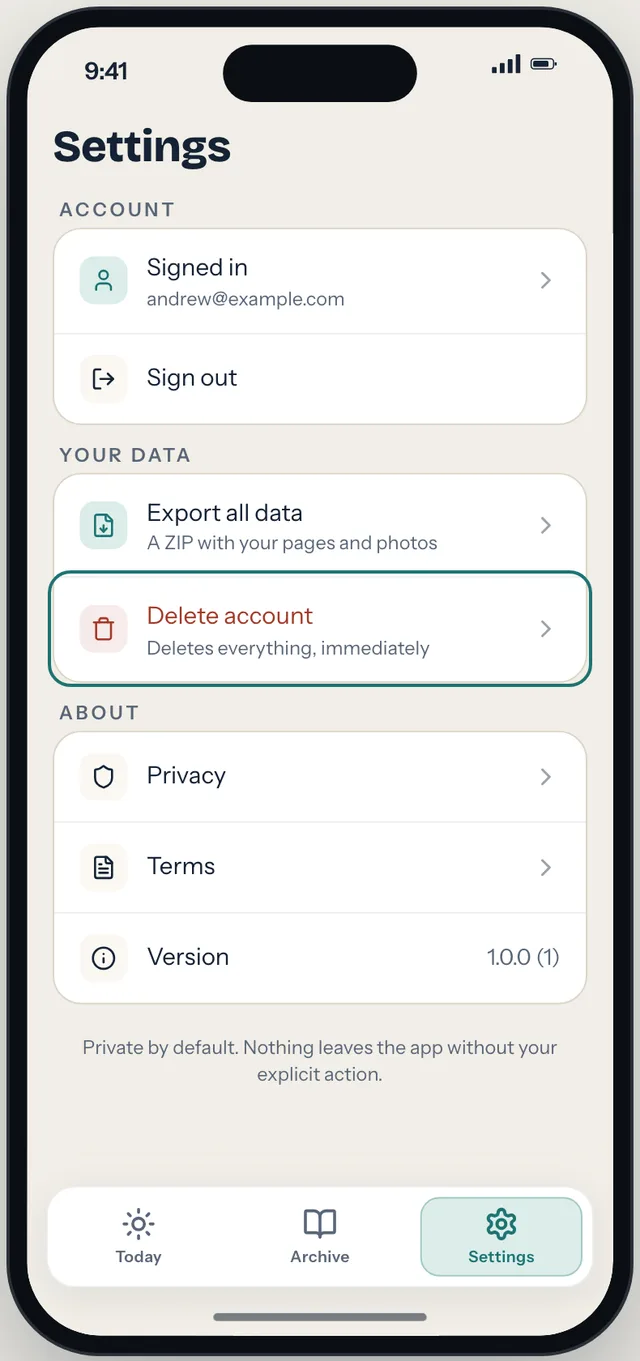
- Open Settings.
- Tap Delete account, then Continue.
- Tap Delete everything.
Your phone must be online. If it isn't, nothing is deleted and the app tells you: "Your account couldn't be deleted. Check your connection and try again."
If you can't use the app
Email contact@osynk.ai with the subject "Delete my account". So we can find your account, tell us the name shown in Lifepage, roughly when you created it and, if you can, a link to a page you shared. We may ask you to confirm the request before we delete. We act within one month at the latest.
What is deleted, and when
| Data | What happens | When |
|---|---|---|
| DataYour account and sign-in tokens | What happensPermanently deleted | WhenImmediately |
| DataDays, pages and their earlier versions, questions and answers | What happensPermanently deleted | WhenImmediately |
| DataPhotos and documents, including the files | What happensPermanently deleted | WhenImmediately |
| DataShared links | What happensStop working and are deleted | WhenImmediately |
| DataAI permission record | What happensPermanently deleted | WhenImmediately |
| DataUsage data (screens opened, key actions) | What happensDeleted from our live database; copies in the nightly analytics files are removed at the next nightly run | WhenImmediately / within 24 hours |
| DataEverything on your phone | What happensWiped, and you are signed out | WhenImmediately |
| DataData previously sent to Anthropic for AI writing | What happensDeleted by Anthropic under its retention rules | WhenWithin 30 days of the request |
| DataWeb server and network logs (may include your IP address) | What happensExpire automatically | WhenWithin 30 days |
| DataApplication and security logs (no journal content; may include your account number) | What happensExpire automatically | WhenWithin 12 months |
| DataBackups | What happensOverwritten automatically; never restored to recreate your account | WhenWithin 30 days |
We keep no copy of your account after deletion: no hashed identifier and no record that the account existed, other than in the logs and backups above until they expire. If we are legally required to keep specific data (for example, in response to a court order), we keep only that data, only for as long as required, and tell you where the law allows.
Deleting your account doesn't cancel anything billed by Apple. Lifepage is currently free; if you buy a subscription in the future, cancel it in your Apple ID settings.
Before you delete: export your data
Deletion can't be undone. To keep a copy, use Settings → Export all data first. It creates a ZIP file on your phone and opens the share sheet so you can save it to Files or send it where you choose. The ZIP contains journal.json (every day you kept: place, songs, thoughts, links, document names and text, your answers, and each page's title and text) and a photos/ folder. Nothing is uploaded or emailed.
For a copy of anything not in the ZIP — such as the original document files, your usage data or your AI permission record — email contact@osynk.ai before you delete.
Other controls
| What you want | Where | Effect |
|---|---|---|
| What you wantStop sending days to the AI | WhereSettings → AI writing → Off | EffectImmediate. You can still add, keep and share your days. |
| What you wantStop sharing a page or delete a single day | WhereIn the app, on that day, or email us | EffectImmediate in the app; removed from backups within 30 days |
Full details are in the Privacy Policy.
Osynk A.I. S.R.L., 10 Orastiei Str., Depozit 14 / Magazin 2, Cluj-Napoca, Cluj County, Romania · contact@osynk.ai · Privacy Policy · Terms of Use